
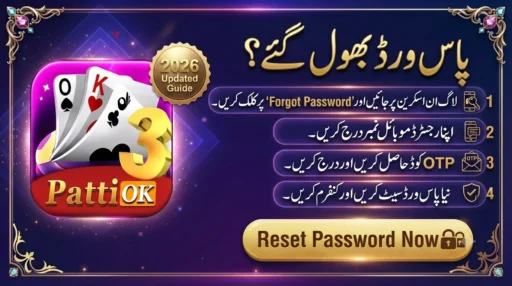
If you are locked out of your account and searching for 3 Patti OK recovery password help, this guide is written for you. Many players in Pakistan install the app, create a login, play for a few days, and then forget the password. Some lose access after reinstalling. Others change phones and cannot enter the old account. In 2026, this is one of the most common Teen Patti app problems.
This complete 3 Patti OK Password Recovery Guide 2026 explains how to reset your password with OTP, what to do when the Forgot Password button is missing, how to recover login after reinstall, and how to avoid fake recovery scams. The language is simple, practical, and based on real user issues, not copied blog fluff.
Why Password Recovery Matters for 3 Patti OK Users
Your login is more than a password. It protects:
- your profile access
- bonus history
- chips and progress
- device-to-device continuity
- account security against other people using your phone
When login fails, players often panic and install random “recovery APKs” from social media. That is where trouble starts. Fake pages promise instant password unlock, then ask for OTP, JazzCash PIN, or CNIC photos. A real recovery process never needs you to share private codes with strangers.
So the smart approach is clear:
- Recover through the official in-app flow
- Use your registered Pakistani number
- Verify OTP yourself
- Set a new password
- Protect that password going forward
Before You Start Password Recovery
Complete this checklist first. It prevents most failed reset attempts.
- Confirm you are opening the correct 3 Patti OK app, not a clone
- Use stable Wi-Fi or strong mobile data
- Keep the original registered SIM active
- Make sure SMS can be received
- Set phone date and time to automatic
- Close heavy background apps
- Keep your registered number written down
If your SIM is offline, OTP recovery will not work. If you installed a lookalike app, the old password reset page may not recognize your number at all.
How to Recover 3 Patti OK Password with OTP (Main Method)
This is the standard recovery path for most Android builds used in Pakistan.
Step 1: Open 3 Patti OK
Tap the app icon and wait for the welcome screen to load fully.
Step 2: Go to Login
Tap Login. Do not tap Sign Up. If your number is already registered, Sign Up can show “account already exists” and waste time.
Step 3: Tap Forgot Password
Look for labels like:
- Forgot Password
- Reset Password
- Recover Account
- Get Password Back
3 Patti OK Login Guide 2026 – OTP & Password
Step 4: Enter Your Registered Mobile Number
Type the exact number used at registration.
Common Pakistan formats:
03XXXXXXXXX3XXXXXXXXX+923XXXXXXXXX
Use the format shown in your app version. One format may work better than another.
Step 5: Request OTP
Tap Send OTP or Get Code. Wait 30 to 60 seconds. Do not tap repeatedly every few seconds. Too many requests can delay SMS further.
Step 6: Enter the OTP Code
Open your inbox, copy the one-time password, return to the app, and enter it carefully. Avoid extra spaces.
Step 7: Create a New Password
Choose a new password that is:
- easy for you to remember
- hard for others to guess
- not used in JazzCash, Easypaisa, banking, Gmail, or Facebook
A simple strong style is better than a weak repeated password.
Step 8: Confirm and Login Again
Submit the new password, go back to Login, and sign in with:
- mobile number + new password
or - mobile number + OTP, depending on your app version
If the lobby opens and your profile appears, recovery is successful.
If Forgot Password Button Is Missing
Not every 3 Patti OK APK build shows a visible reset option. Some versions are OTP-first.
Use this alternate recovery flow:
- Open app
- Tap Login
- Enter registered number
- Request OTP
- Enter OTP and open account
- Go to Settings
- Open Account, Security, or Profile section
- Look for Change Password / Set Password
Once inside, update your password immediately so next login is easier.
If there is no password system at all in your build, then OTP itself is your recovery method every time. In that case, keep your SIM active and never share OTP with anyone.
Password Recovery After Reinstall
Many users clear storage, uninstall the app, and then cannot login.
Follow this order:
- Reinstall 3 Patti OK from your trusted source
- Open the app
- Tap Login
- Enter the old registered number
- Use Forgot Password or OTP login
- Set a new password if asked
- Confirm your old profile loads
Important: if you install a different clone with a similar name and icon, recovery will fail even with the correct number. Same look does not mean same account system.
Password Recovery on a New Phone
Changed your handset in 2026? Use this process:
- Install the correct app on the new phone
- Open Login
- Enter old number
- Complete OTP verification
- Reset password if required
- Check that nickname, ID, and progress appear
Keep the old SIM in the phone at least for the first recovery. After successful reset, you can move the SIM if needed, but first access is easier when OTP can arrive instantly.
Guest Account Reality Check
If you originally entered through guest mode and never linked a mobile number, password recovery may be impossible. Guest profiles are temporary by nature.
Signs you were on guest mode:
- no mobile number linked
- no password was ever created
- account disappeared after clearing data
- no OTP option appears for your old profile
To avoid this next time, register with a mobile number on day one and complete password setup when available.
Strong Password Tips for 3 Patti OK
After recovery, do not set a weak password again.
Better password habits:
- at least 8 characters when allowed
- mix letters and numbers
- avoid your name, birthday, or
123456 - avoid same password across wallets and social apps
- store it privately offline if needed
Also turn off screen lock sharing with other people if they use your phone. A recovered password is useless if someone standing next to you can open the app freely.
Most Common 3 Patti OK Recovery Password Problems
1) OTP Not Coming
Why it happens: weak signal, SMS congestion, wrong format, repeated requests
Fix: wait one minute, check network, confirm number, restart phone, request OTP once more
2) Invalid Number Error
Why it happens: format mismatch for that APK version
Fix: try 03..., then +92..., based on on-screen guidance
3) OTP Incorrect
Why it happens: expired code, old SMS used, copy-paste space
Fix: request a fresh OTP and enter immediately
4) Forgot Password Page Not Opening
Why it happens: app freeze, outdated WebView, unstable internet
Fix: force close app, update Chrome/WebView, clear cache, retry
5) New Password Not Saving
Why it happens: network drop during submit
Fix: switch to stable connection and reset again
6) Login Fails After Reset
Why it happens: typing old password by habit, or wrong app clone
Fix: carefully enter the new password on the correct app build
7) Account Not Found
Why it happens: different clone app or wrong number
Fix: confirm exact registered number and trusted APK source
8) Logged In but Profile Looks Empty
Why it happens: first sync delay after recovery
Fix: wait on stable internet, restart app once, then check again
9) Reset Loop Keeps Returning
Why it happens: cache conflict or incomplete update
Fix: clear cache, relaunch, complete reset in one session
10) Someone Else Changed Access
Why it happens: shared phone or shared OTP
Fix: recover immediately, set new password, stop sharing OTP, logout other sessions if option exists
These issues cover almost all daily searches related to 3 Patti OK forgot password and 3 Patti OK reset password.
Fake Recovery Scams You Must Avoid
Password recovery searches attract scammers. Watch for these red flags:
- “Send OTP and we will unlock your account”
- “Pay first for password recovery VIP”
- “Share CNIC selfie for instant reset”
- “Install this remote support app”
- “Give JazzCash PIN for verification”
Never do any of that. Real recovery stays inside your app screen and your own SMS inbox. No agent needs your OTP.
If you already shared OTP by mistake:
- turn on airplane mode briefly and back off
- recover account again immediately with a new OTP
- change password at once
- watch wallet apps for suspicious activity
- uninstall any unknown support apps
Step-by-Step Recovery Flow in One View
Standard Reset
Login → Forgot Password → Enter number → OTP → New password → Login again
No Forgot Button
Login → OTP login → Open settings → Change password
After Reinstall
Install correct app → Login → Same number → OTP/reset → Confirm profile
New Phone
Install app → Login → Old number → OTP → Reset if needed → Enter lobby
Keep this flow saved. It solves most lockout cases without stress.
Best Practices So You Do Not Lose Access Again
- Register with a real number you control
- Set a password when the option appears
- Do not depend on guest mode
- Keep one trusted APK source for updates
- Avoid clearing app data every week
- Do not share login with friends
- Save number and password privately
- Test login once after every reinstall
These habits reduce future recovery needs.
What To Do If Nothing Works
If all normal methods fail, use this final checklist:
- Confirm SIM can receive any SMS
- Confirm exact old number digits
- Confirm you are on the same app ecosystem, not a clone
- Update Android System WebView and Chrome
- Clear app cache
- Restart phone
- Try recovery again on Wi-Fi and then on mobile data
- Reinstall only as last step
If the account was guest-only and never linked to a number, recovery may not be possible. In that case, create a fresh registered account and protect it properly from day one.
Who This Guide Helps Most
This article is useful if you:
- forgot your 3 Patti OK password
- changed your Android phone
- reinstalled the app and lost login
- are not receiving OTP in Pakistan
- cannot find Forgot Password in your version
- want safer recovery without scams
The steps are written so you can follow them while holding your phone.
Frequently Asked Questions
How can I do 3 Patti OK recovery password in 2026?
Open Login, tap Forgot Password, enter your registered number, verify OTP, set a new password, and login again.
What if there is no Forgot Password option?
Use OTP login with your registered number, then change password from settings if available.
Can I recover password without OTP?
Usually no. Most recovery flows depend on mobile OTP verification.
Why is OTP not coming in Pakistan?
Weak signal, SMS delay, wrong number format, or too many requests are common reasons.
Can I recover after uninstalling the app?
Yes, if your number was registered. Reinstall the correct app and use OTP or Forgot Password.
What if I used guest mode only?
Guest accounts are hard or impossible to recover. Register with mobile number next time.
Is it safe to share OTP with recovery agents?
No. Never share OTP, wallet PIN, or CNIC with anyone claiming to reset your password.
Can I use the same password as my JazzCash account?
No. Always keep game passwords separate from payment apps.
Why does account not found appear?
You may be using a clone app or a different number than the one registered.
How long does password reset take?
In normal conditions, the full process takes only a few minutes.
Final Words
A clean 3 Patti OK recovery password process is simple when you stay inside the real app flow: registered number, OTP verification, new password, and secure login. Do not rush into fake recovery links. Do not share private codes. Use the correct app version, keep your SIM active, and save your new password safely.
Once recovery is done, your next priority is prevention: strong password, registered account, and careful login habits. That is how you stay in control of your 3 Patti OK account throughout 2026.