
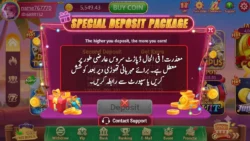
If your money left EasyPaisa or JazzCash but your 3PattiOK wallet is still empty, the first reaction is panic. Take a breath. In most Pakistani cases, 3PattiOK mein paisa add nahi ho raha does not mean the money is gone forever. It usually means the payment is pending confirmation, delayed by the wallet provider, stuck on a failed callback, or waiting for an app refresh.
This guide gives you a practical checklist: what to check first, how EasyPaisa and JazzCash deposits work, why credits disappear from view, and how to contact support with the right proof.
What “Paisa Add Nahi Ho Raha” Usually Means
When you add cash in 3PattiOK, three systems must agree:
- Your EasyPaisa / JazzCash / bank payment
- The payment gateway confirmation
- The 3PattiOK wallet update
If any one of these lags, your deposit will not show.
Common statuses:
- Processing / Pending — payment started, wallet not updated yet
- Success in wallet app, pending in game — money debited, credit waiting
- Failed — payment did not complete; refund should follow
- Wrong account login — paid while on a different number/account
- App sync delay — credit exists, screen not refreshed
Your job is to identify which one is happening before you pay again.
Quick 5-Minute Checklist (Do This First)
1) Recheck 3PattiOK wallet and history
Open Wallet / Add Cash / Transactions and look for Pending, Success, or Failed. Note the Order ID.
2) Recheck EasyPaisa or JazzCash
Find the exact debit amount and time. Save the transaction ID / reference number.
3) Confirm you are on the correct 3PattiOK account
Same mobile number you used while paying? This mistake is more common than people admit.
4) Refresh the app properly
Force close 3PattiOK → reopen → switch Wi-Fi/mobile data → check wallet again.
5) Do not make a second deposit yet
Duplicate payments create bigger confusion. Wait until the first payment is clearly failed or refunded.
If the balance is still missing, continue with the full checklist below.
Full Checklist: Why Money Is Not Adding in 3PattiOK
Check 1: Payment is still processing
During peak hours, evenings, weekends, or offer times, confirmation can lag.
What to do
- Wait a short processing window
- Recheck history every 10–15 minutes
- Keep Order ID ready
Check 2: EasyPaisa success, 3PattiOK still empty
Very common in Pakistan.
Why it happens
- Gateway delay
- Temporary callback failure
- App server sync lag
What to do
- Save EasyPaisa transaction ID
- Save 3PattiOK Order ID
- Contact support if still missing after a reasonable wait
Check 3: JazzCash debited, wallet not updated
Same pattern as EasyPaisa.
What to do
- Open JazzCash transaction details, not only SMS
- Screenshot reference number
- Compare amount/time with 3PattiOK history
- Avoid immediate retry
Check 4: Failed payment with delayed refund
Your wallet may show debit first, then auto-refund if merchant confirmation fails.
What to do
- Watch for Failed status in 3PattiOK
- Track refund in EasyPaisa/JazzCash
- Retry only after failure/refund clarity
Check 5: Unstable internet during payment
If the app reloads or signal drops on the payment screen, debit can succeed while game credit lags.
What to do
- Use stable Wi-Fi or strong mobile data next time
- Reopen app and refresh transactions after reconnecting
Check 6: Outdated app or cache issue
Old versions and corrupted cache hide recent credits.
What to do
- Update 3PattiOK
- Clear cache (Android)
- Restart phone
- Log in and recheck wallet
Check 7: Wrong payment number or method flow
Users sometimes cancel on PIN screen, switch methods mid-way, or abandon checkout.
What to do
- Confirm whether payment was fully completed
- Only successful merchant confirmation credits the wallet
Check 8: Amount below minimum or above limit
If you break deposit rules, credit may not post normally.
What to do
- Check minimum add-cash amount
- Check max limits
- Use supported methods only
Check 9: Bonus confusion
Cash may be credited, but users look for bonus in the same line.
What to do
- Check deposit balance and bonus balance separately
- Read offer terms: first deposit, min amount, code validity
Check 10: Account restriction / KYC hold
If your account is under review, deposits can be delayed.
What to do
- Check for ban/restriction messages
- Complete KYC if pending
- Contact support with account details
Check 11: Provider downtime
EasyPaisa, JazzCash, or banking rails can face temporary service issues.
What to do
- Retry later only if first payment failed/refunded
- Keep proof of the first debit
Check 12: Logged into a different 3PattiOK ID
Reinstall + new login with another number causes “money missing” panic.
What to do
- Confirm registered mobile
- Verify User ID
- Match payment time with that same login session
EasyPaisa Deposit Not Showing in 3PattiOK
Use this Pakistan-specific path:
- Open EasyPaisa → find debit transaction
- Copy Transaction ID / reference
- Open 3PattiOK → Add Cash history → copy Order ID
- Compare amount and exact time
- Update app + clear cache + recheck
- If EasyPaisa = Success and 3PattiOK = empty/pending, raise support ticket
Send both IDs. That is the fastest way to trace an EasyPaisa deposit.
JazzCash Deposit Not Showing in 3PattiOK
- Open JazzCash transaction detail page
- Save reference number and screenshot
- Confirm SMS debit text
- Check 3PattiOK order status
- Refresh app on stable network
- Contact support with JazzCash reference + Order ID if still missing
Do not switch to EasyPaisa for a second payment until the JazzCash case is clear.
Step-by-Step Fix When Paisa Is Not Adding
Step 1: Collect proof first
Save:
- 3PattiOK Order ID
- Amount
- Date/time
- Method (EasyPaisa/JazzCash/Bank)
- Wallet transaction ID
- Screenshots of debit and game history
Step 2: Compare both statuses
| Place | What to check |
|---|---|
| 3PattiOK | Pending / Success / Failed |
| EasyPaisa or JazzCash | Debit / Refund / Pending |
Both pending: wait and recheck.
Wallet success + game pending: wait, then support with references.
Both failed: safe to retry later.
Wallet debit + game failed: track refund, then retry.
Step 3: Technical refresh
- Force close app
- Clear cache
- Update app
- Switch network
- Re-login
- Recheck Transactions
Step 4: Wait for a practical window
Many deposits appear quickly. Peak traffic and provider lag can extend confirmation. Panic retries make support harder.
Step 5: Contact official support
Use one complete message with all IDs.
Support Message Template
Subject: 3PattiOK deposit not added to wallet
Hello Support Team,
I added cash but the balance is not showing in 3PattiOK.
Registered mobile: [number]
User ID: [ID]
Amount: [Rs]
Date/Time: [details]
Payment method: [EasyPaisa / JazzCash / Bank]
3PattiOK Order ID: [ID]
EasyPaisa/JazzCash Transaction ID: [ID]
Wallet status: Success/Debited
App wallet status: Not updated / Pending
Screenshots attached.
Please check and credit my wallet.
Thank you.
How Long Should You Wait?
Practical guide:
| Scenario | What to expect |
|---|---|
| Normal EasyPaisa/JazzCash deposit | Often short confirmation time |
| Peak hours | Longer delay possible |
| Failed payment refund | Provider-dependent |
| Technical sync issue | May need support trace |
If bank/wallet debit is successful and game wallet stays empty, prepare your ticket with both references instead of paying again.
Can the Deposit Be Lost Permanently?
In genuine successful debits, money usually ends in one of these places:
- Credited to 3PattiOK wallet
- Refunded to EasyPaisa/JazzCash/bank
- Stuck pending until reconciliation
This is why Order ID + transaction ID matter. With both, official support can trace the path.
Never trust random Facebook/WhatsApp “manual credit agents.”
Mistakes That Make the Problem Worse
- Sending 3–4 deposits immediately
- Switching accounts after payment
- Clearing app data before saving Order ID
- Sharing EasyPaisa/JazzCash PIN or OTP
- Paying a “release fee” to strangers
- Raising tickets without transaction IDs
- Assuming bonus and deposit cash are the same balance
Avoid these and your case stays clean.
Prevention Tips for Next Deposit
- Use stable internet before tapping Pay
- Keep 3PattiOK updated
- Deposit from your own EasyPaisa/JazzCash
- Screenshot Order ID right after payment
- Start with a smaller test deposit if you faced repeated issues
- Complete KYC early
- Use one primary payment method that works reliably for you
- Avoid depositing during known wallet outages
Security Warning for Pakistani Users
If anyone says:
- “Pay fee to unlock deposit”
- “Send OTP to credit wallet”
- “Share EasyPaisa/JazzCash PIN”
It is a scam. Official support does not need your wallet PIN.
Upload screenshots only through official in-app support or official contact channels.
Related Issues People Mix With Deposit Problems
Withdrawal pending
That is money going out of 3PattiOK, not coming in.
App not working
If the whole app is crashing, fix app/network first, then recheck wallet history.
Account blocked
Restricted accounts may not show normal deposit behavior until review is cleared.
Keep the issue category correct when you contact support.
FAQ: 3PattiOK Paisa Add Nahi Ho Raha
3PattiOK mein paisa add nahi ho raha, kyun?
Usually because payment is pending confirmation, EasyPaisa/JazzCash debit is waiting for game sync, the transaction failed and refund is processing, cache is outdated, or you checked the wrong account.
EasyPaisa se money chali gayi, 3PattiOK mein nahi aayi. Kya karun?
Save Order ID and EasyPaisa transaction ID, refresh the app, wait for normal processing, then contact official support with screenshots if still missing.
JazzCash success hai, wallet empty hai. Duplicate deposit karun?
Nahi. First transaction clear hone do. Duplicate deposits tracking mushkil bana dete hain.
Bonus kyun nahi mila?
Deposit cash and bonus can post separately. Check offer terms and bonus section, not only main cash balance.
Clear cache se deposit aa sakta hai?
Sometimes yes, if credit already posted but the app screen did not refresh. It does not replace support tracing for unconfirmed payments.
Support ko kya details bhejun?
Registered mobile, User ID, amount, date/time, payment method, Order ID, EasyPaisa/JazzCash transaction ID, and screenshots.
Final Action Plan
If 3PattiOK mein paisa add nahi ho raha right now:
- Check 3PattiOK transaction status
- Check EasyPaisa/JazzCash debit + save transaction ID
- Confirm correct login account
- Update app + clear cache + stable network
- Separate deposit cash vs bonus sections
- Do not make a duplicate payment yet
- Contact support with Order ID + wallet reference + screenshots
- Track until credited or refunded
This is the safest checklist path for Pakistani users.
Conclusion
When 3PattiOK mein paisa add nahi ho raha, the smart move is evidence first, not panic retries. Verify wallet history, confirm EasyPaisa or JazzCash debit, refresh the app, and send one complete support ticket with both IDs if needed.
Order ID + transaction ID + screenshots is the fastest way to get your deposit sorted.